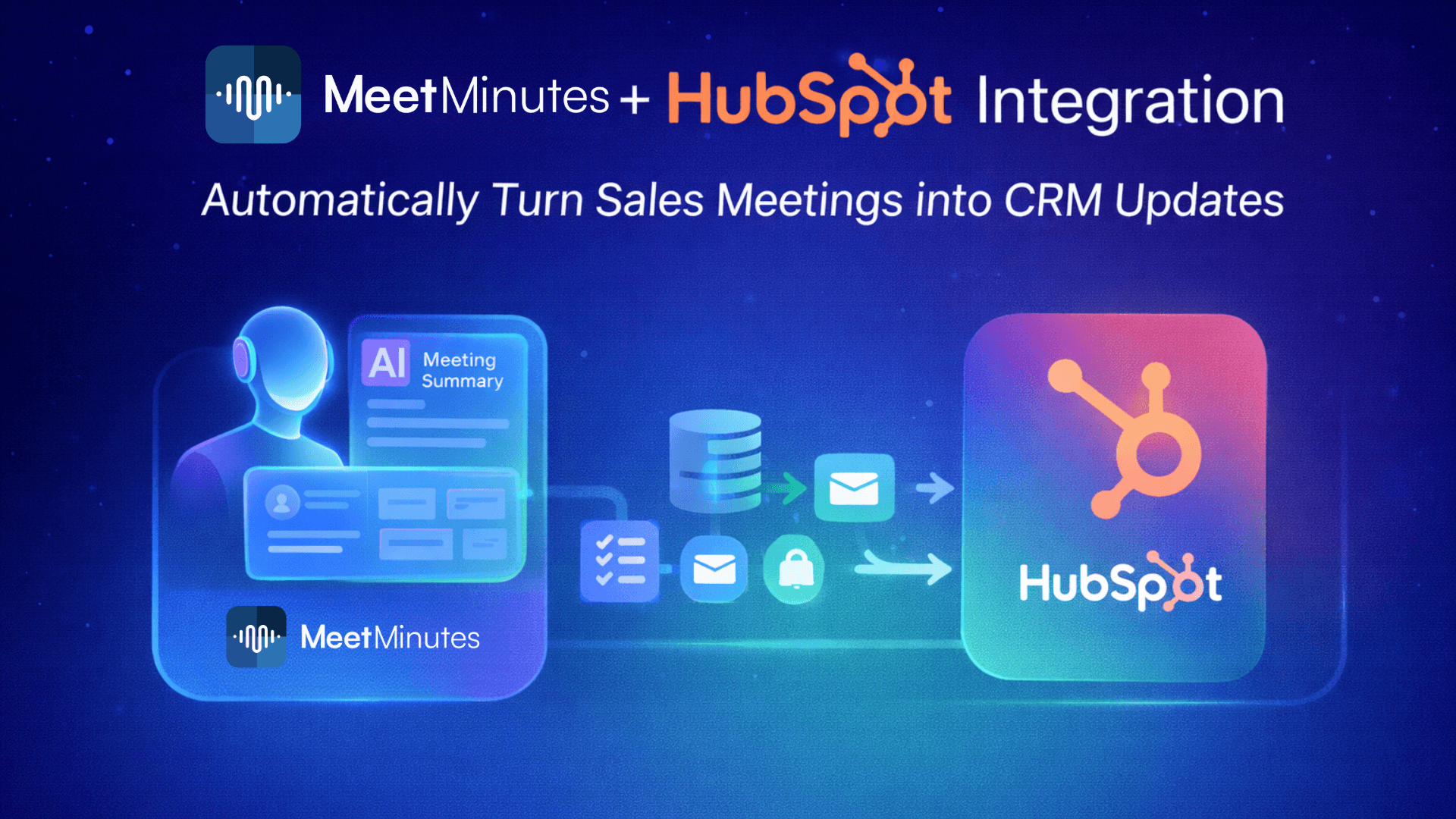
MeetMinutes + HubSpot: Automatically Turn Sales Meetings into CRM Updates
Dec 21, 2025
|
5
min read
Sales meetings are where deals move forward or fall apart.
But for most teams, the biggest problem isn’t the meeting itself.
It’s everything that comes after.
Someone has to:
Write call notes
Update HubSpot
Log next steps
Change deal stages
Send follow-ups
That manual work is slow, inconsistent, and often skipped when calendars get busy. As a result, CRMs go out of date, follow-ups slip, and revenue insights become unreliable.
That’s exactly why MeetMinutes integrates with HubSpot.
How MeetMinutes Integrates with HubSpot (Secure & Native)
MeetMinutes connects directly with HubSpot CRM to ensure your meeting data flows securely and accurately without manual copy-pasting.
Once connected, MeetMinutes can automatically push AI-generated meeting insights into HubSpot, keeping your CRM clean, current, and actionable.
No spreadsheets.
No missed updates.
No “I’ll update it later.”
Just reliable CRM automation powered by your meetings.
The Problem with Manual CRM Updates
Most sales teams know this pain too well:
Call notes are written hours later or never
Important context is lost
Deal stages aren’t updated on time
Follow-ups depend on memory
CRM data becomes unreliable
Over time, this leads to:
Poor pipeline visibility
Inaccurate forecasts
Missed follow-ups
Frustrated RevOps teams
MeetMinutes fixes this by making meetings the source of truth for your CRM.
What MeetMinutes + HubSpot Can Do for You
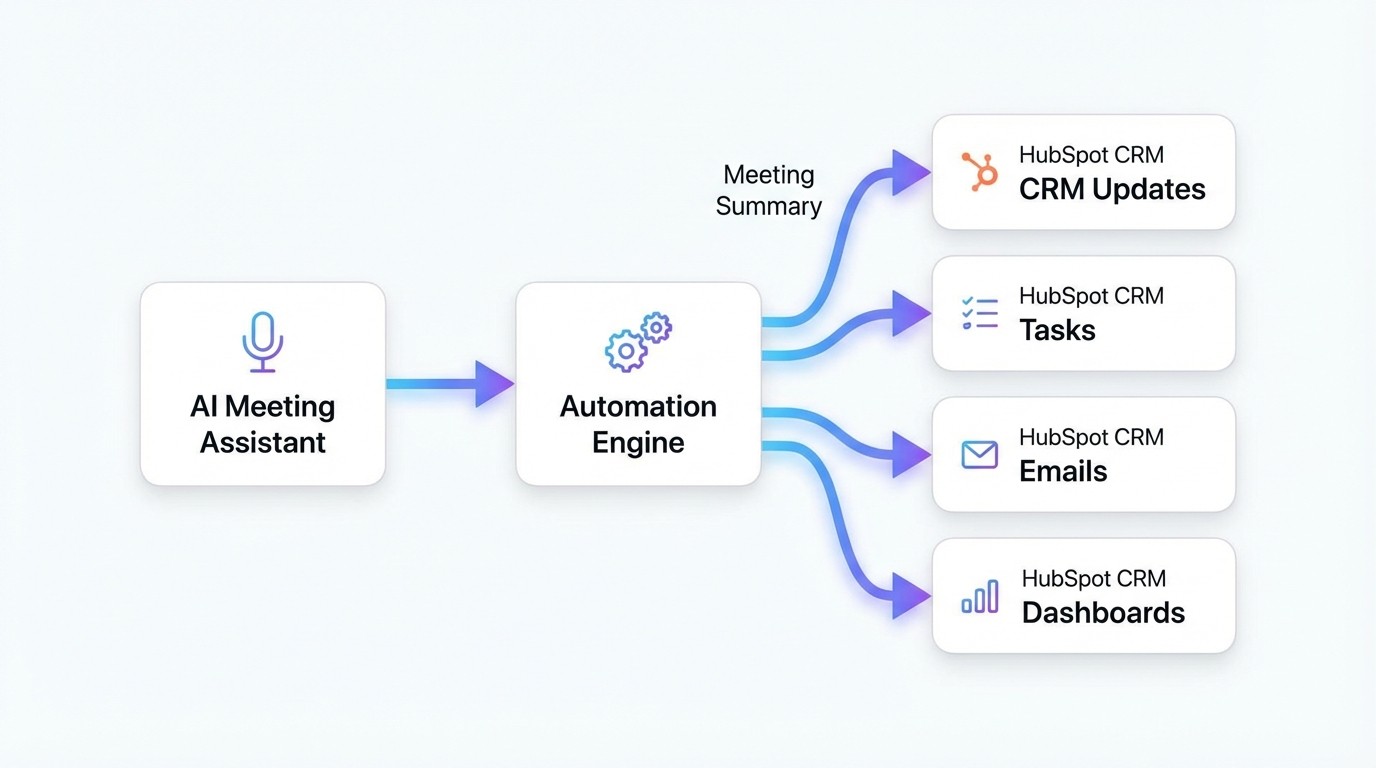
Once the integration is enabled, MeetMinutes automatically captures and syncs meeting insights into HubSpot.
Automatically Log Meeting Notes
Every sales call, demo, or follow-up meeting is summarized by MeetMinutes and logged directly into the relevant HubSpot record.
No manual note-taking required.
Update Deal Records with Context
MeetMinutes can push:
Key discussion points
Decisions made
Objections raised
Next steps
directly into HubSpot deals so nothing gets lost.
Track Follow-Ups Automatically
Action items discussed during the meeting can be logged as
Tasks
Notes
Follow-up reminders
inside HubSpot, helping reps stay consistent and accountable.
Keep Your CRM Always Up-to-Date
When meetings drive updates automatically:
Deal stages stay accurate
Forecasting improves
Leadership gets real-time visibility
Your CRM finally reflects reality.
A Typical Workflow (What Actually Happens)
Here’s how it works in practice:
A sales meeting happens
MeetMinutes records and summarizes the call
Key insights are extracted automatically
Meeting summary, notes, and action items are synced to HubSpot
Sales reps focus on selling, not admin work
Simple, reliable, and scalable.
Who This Integration Is Perfect For
Sales Teams
Spend more time selling and less time updating CRM fields.
RevOps Teams
Ensure clean, consistent data across HubSpot without chasing reps.
Founders & Sales Leaders
Get accurate pipeline insights backed by real conversations.
Customer Success Teams
Track client calls, follow-ups, and commitments automatically.
If meetings are part of your revenue workflow, this integration saves hours every week.
Easy to Set Up, Easy to Scale
Connecting MeetMinutes with HubSpot is straightforward:
Secure authentication
Controlled access
No complex configuration
Works across teams and pipelines
Once set up, it quietly runs in the background, keeping HubSpot updated after every meeting.
Why This Matters More Than Ever
CRMs fail not because teams don’t care but because manual updates don’t scale.
MeetMinutes changes that by making:
Meetings → CRM updates → Follow-ups → Revenue insights
automatic.
Your sales data becomes richer, more accurate, and always up-to-date without extra effort from your team.
Final Thought
Sales meetings should move deals forward, not create more admin work.
With MeetMinutes + HubSpot, your meetings do the updating for you.
Turn every sales meeting into a CRM update automatically.
👉Connect MeetMinutes with HubSpot and keep your pipeline accurate without manual effort.
https://app.meetminutes.in
👉 Book a Demo
https://calendly.com/support-kduy/30min