MeetMinutes Trello Integration: Automatically Turn Meeting Notes into Actionable Tasks
Feb 27, 2026
|
6
min read
Meetings generate ideas, decisions, and action items, but most of them never make it into your task board.
That’s where the MeetMinutes Trello integration changes everything.
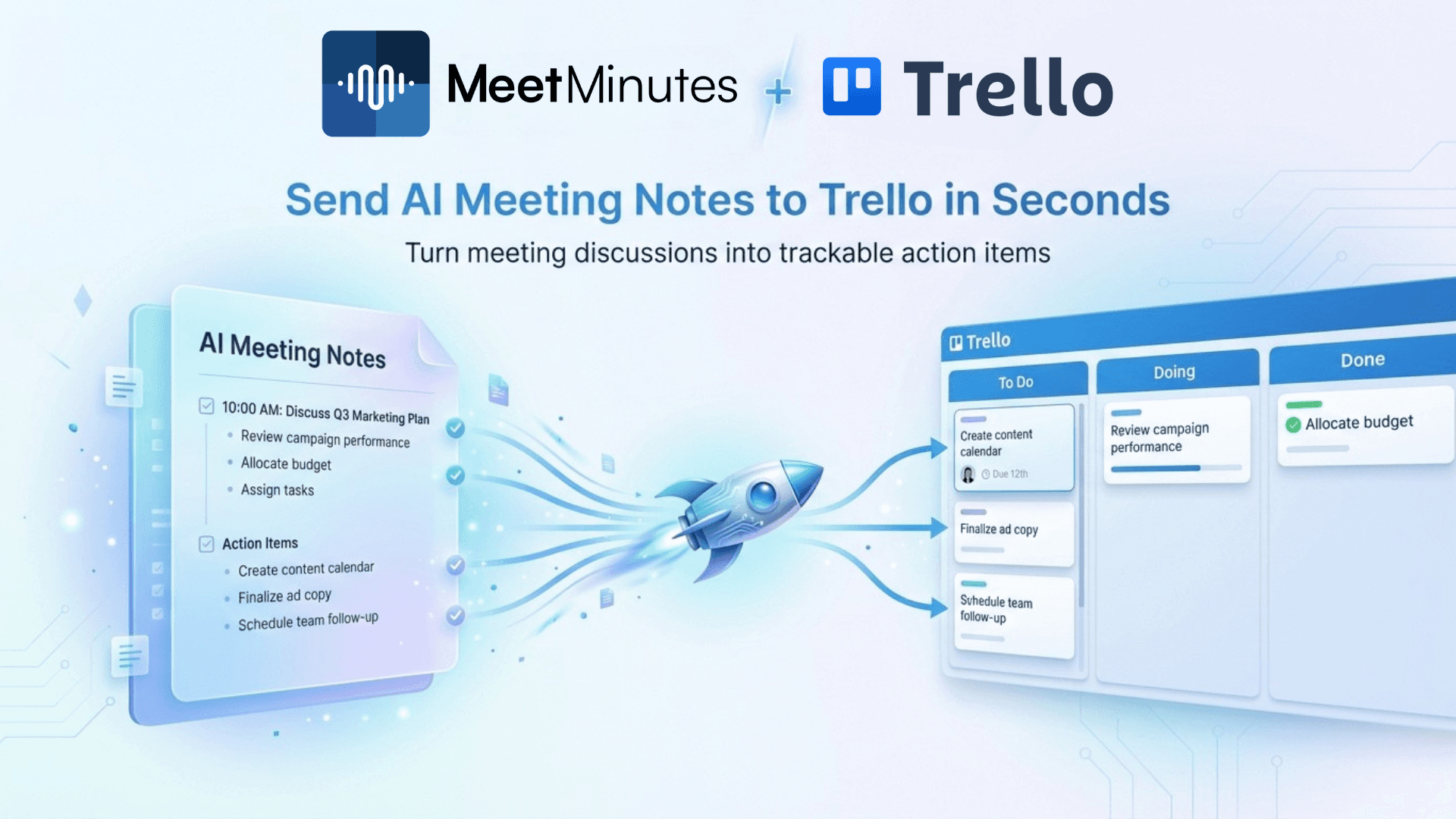
By connecting MeetMinutes with Trello, your meeting discussions are automatically converted into trackable Trello cards, ensuring nothing slips through the cracks. Whether you’re running product meetings, sales calls, or weekly reviews, this integration helps teams move from talking to doing faster.
Why Teams Struggle with Meeting Follow-Ups
Let’s be honest, this is what usually happens after meetings:
Notes are scattered across docs or chats
Action items aren’t clearly assigned
Tasks are manually recreated in Trello (or forgotten)
Team members lose context behind decisions
The result? Delays, confusion, and repeated discussions.
The MeetMinutes + Trello integration solves this by connecting meeting intelligence directly to your project management workflow.
What Is the MeetMinutes Trello Integration?
The MeetMinutes Trello integration allows you to send meeting outputs directly to Trello without manual effort.
Once connected, MeetMinutes can push the following:
Meeting action items
Tasks discussed during meetings
Key decisions and follow-ups
directly into your selected Trello board and list.
This ensures your Trello board always reflects what was actually discussed in meetings.
How the Trello Integration Works in MeetMinutes
The setup is intentionally simple so teams can start using it immediately.
1. Connect Trello to MeetMinutes
From the Integrations section in MeetMinutes, click Connect on Trello.
You’ll be securely redirected to authorize MeetMinutes to access your Trello workspace; no complex configuration required.
2. Choose Your Trello Board
After authorization, select the Trello board where you want your meeting data stored.
Examples:
Product Sprint Board
Sales Pipeline Board
Client Projects Board
This flexibility allows different teams to route meeting outputs to the right place.
3. Select the Trello List
Next, choose the specific list inside your board, such as
To Do
Action Items
Backlog
MeetMinutes will add meeting-related tasks directly to this list, keeping your board structured and clutter-free.
What Gets Added to Trello from MeetMinutes?
Once your meeting is recorded and processed, MeetMinutes can automatically create Trello cards for the following:
✅ Action items discussed in the meeting
✅ Tasks with clear ownership
✅ Follow-ups from internal or client calls
✅ Decisions that require execution
Each card includes the meeting context, so team members know why the task exists and not just what to do.
How This Helps New MeetMinutes Users
If you’re new to MeetMinutes, the Trello integration highlights its real value.
MeetMinutes isn’t just an AI meeting notetaker; it becomes a bridge between conversations and execution.
Instead of ending meetings with:
“We’ll update this later”
You end them with:
“It’s already in Trello.”
This reduces post-meeting admin work and helps teams stay aligned from day one.
How This Helps Teams Already Using Trello
If Trello is already part of your daily workflow, this integration fits in naturally.
Before the Integration
Meetings happen in Zoom or Google Meet
Notes live somewhere else
Tasks are manually added to Trello
Important details get lost
After the Integration
Meetings are recorded by MeetMinutes
Action items are identified automatically
Tasks appear instantly in Trello
Teams start executing immediately
Your Trello board becomes a true reflection of your meetings, not just a task dump.
Popular Use Cases for MeetMinutes + Trello
Product & Engineering Teams
Sprint planning meetings → Trello sprint tasks
Clear ownership without rewriting tickets
Faster execution cycles
Sales & Customer Success Teams
Client calls → follow-ups in Trello
No missed commitments
Better handoffs between teams
Operations & Leadership Teams
Weekly reviews → trackable action items
Improved accountability
Fewer follow-up meetings
Why MeetMinutes + Trello Improves Team Productivity
This integration removes the most painful part of meetings: manual follow-ups.
By automatically syncing meeting outputs to Trello, teams:
Save time after every meeting
Reduce miscommunication
Ensure accountability
Keep projects moving forward
It’s not about adding another tool—it’s about making your existing tools work together.
Get Started with the MeetMinutes Trello Integration
If you’re already using MeetMinutes:
Go to Integrations → Trello
Click Connect
Select your board and list
If you’re new to MeetMinutes, start with your first meeting and connect Trello in minutes.
Final Thoughts
Meetings should drive progress, not create more work.
With the MeetMinutes Trello integration, every conversation turns into clear, trackable action inside Trello. No missed tasks. No lost context. Just better meetings and faster execution.